
Link Storage

Autodesk
Sync and share your Autodesk documents
Link Autodesk
Sync your Autodesk Construction Cloud / BIM 360 documents
on Mac, Windows, and Linux
Why Odrive?
Streamline your Autodesk document workflows by allowing your users to work straight out of Windows Explorer or
Mac Finder. Sync takes care of automatically saving changes and getting the latest versions of files,
letting your team and everyone they work with save time. Work faster, improve productivity, and increase the
value realized from your existing Autodesk Construction Cloud or BIM 360 investment with Odrive.
Sign in to Odrive using your Autodesk credentials to start your free 30-day trial. Also, be sure to contact sales@odrive.com to request a demo or have a quick discussion about your document workflow needs.
Sign in to Odrive using your Autodesk credentials to start your free 30-day trial. Also, be sure to contact sales@odrive.com to request a demo or have a quick discussion about your document workflow needs.
Sign in with Autodesk
Users can sign in using their Autodesk credentials to get started right away. Once you've
linked your Autodesk account, you'll see all of your Autodesk Construction Cloud / BIM 360 documents.
Install the desktop sync app and then you'll be able to interact with your documents directly through Mac Finder, Windows Explorer, or via command line on Linux.
Install the desktop sync app and then you'll be able to interact with your documents directly through Mac Finder, Windows Explorer, or via command line on Linux.
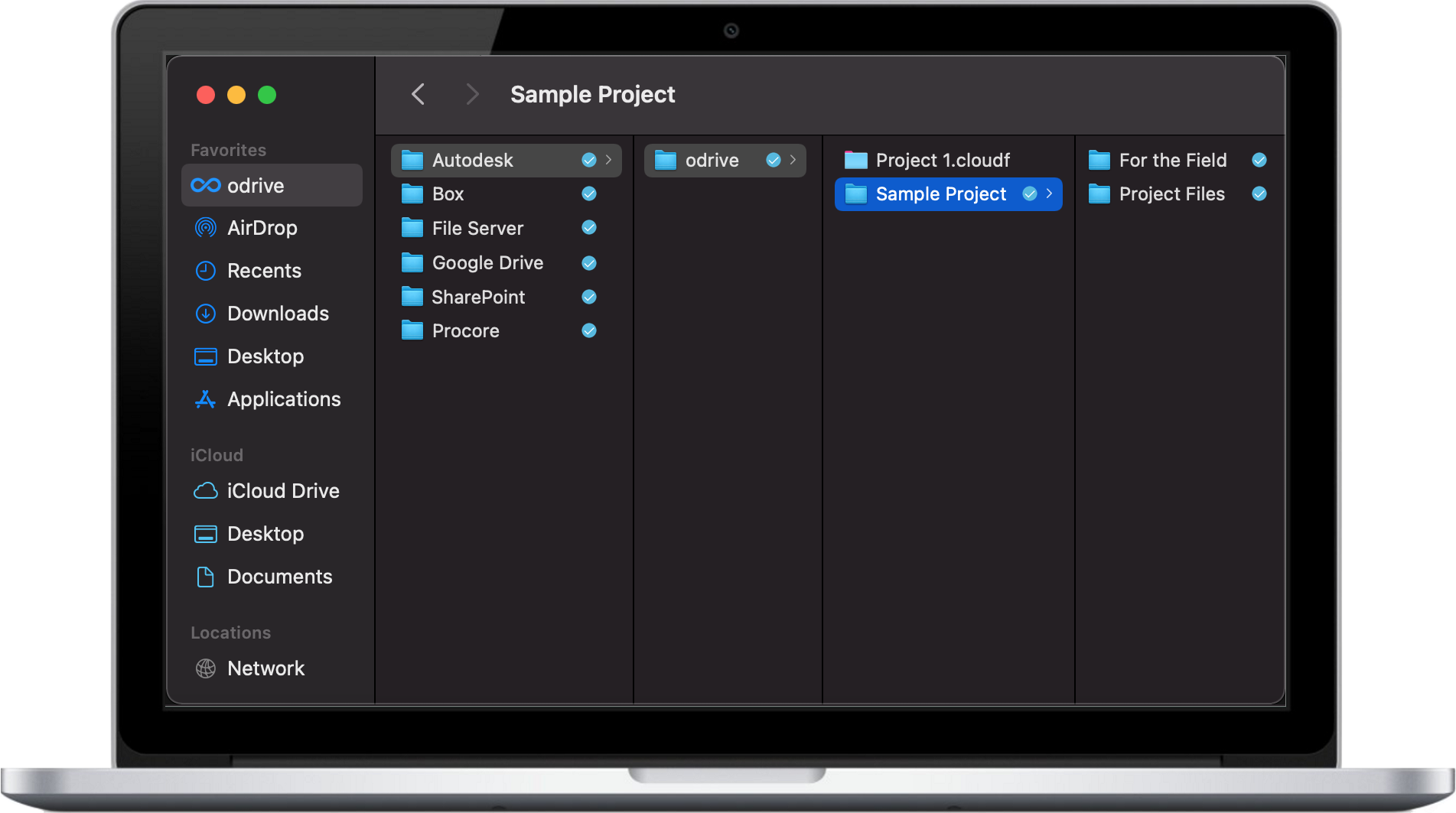
Facilitate working on BIM files
Odrive can help with syncing up your latest BIM file changes and getting the latest file
changes back down. You can also on-demand grab all the latest files in a folder if you want to make sure you have the
everything up-to-date, especially when working with cross-linked files that have dependencies on one another.
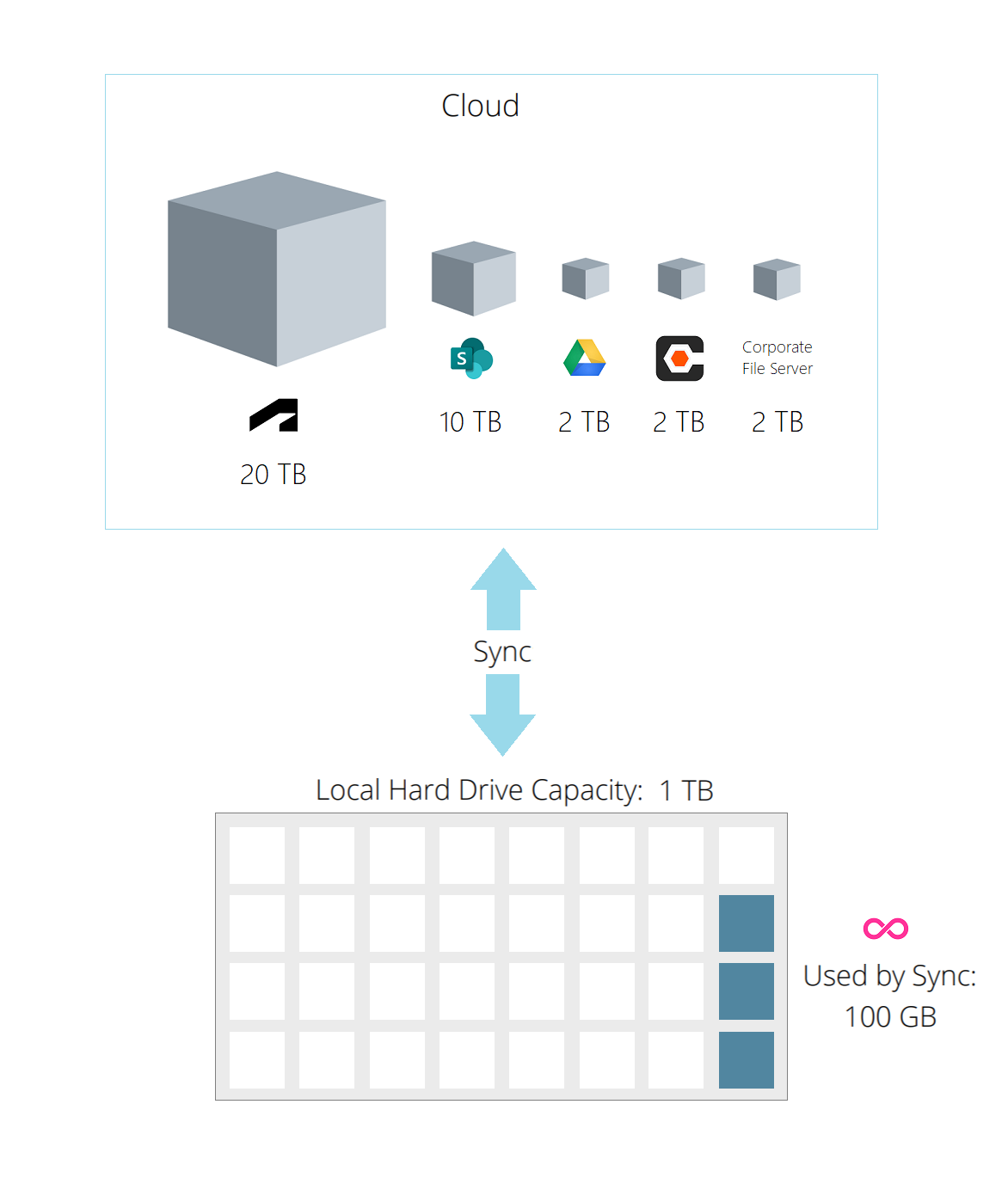
Manage disk space
Working with large sets of files? Your files in Odrive first show up as Placeholder files that allow users
to see everything in the cloud but do not take up any disk space. Full file content isn't downloaded until you need to access the
files, saving you disk space and bandwidth.
When you're done working with a set of files, you can right-click on any file or folder to Unsync it (premium feature), converting it back to a Placeholder file to free up your disk space again.
When you're done working with a set of files, you can right-click on any file or folder to Unsync it (premium feature), converting it back to a Placeholder file to free up your disk space again.
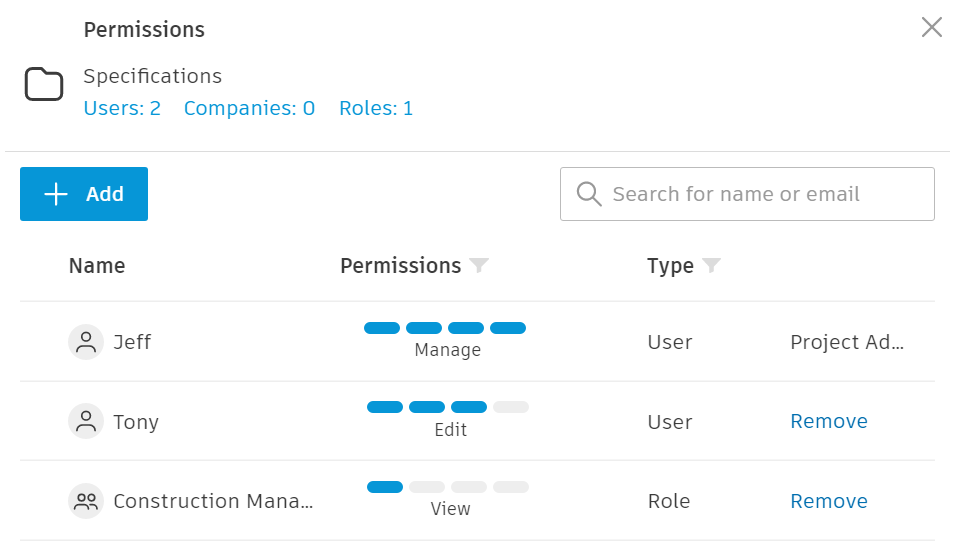
Maintain existing permissions
All existing Autodesk-level permissions are obeyed, so it's safe and easy to try out Odrive. There's
no need to worry about opening up security holes, and you won't need to spend extra time on initial configuration.
Sync for all storage
If your company uses other storage, users can link it to the sync app, too, giving them one place to access all of their files.
We also provide other solutions to bridge the data between Autodesk and your file server or other storage. Inquire with our sales team at sales@odrive.com about any complex storage requirements you may have.
We also provide other solutions to bridge the data between Autodesk and your file server or other storage. Inquire with our sales team at sales@odrive.com about any complex storage requirements you may have.
Share files with collaborators
There are two convenient ways to collaborate on your files:
Weblinks: your users can share documents in Autodesk even with people that aren't in your Autodesk account by sending them a secure weblink. Add a password or expiration date to further safeguard your data.
Spaces: create an Odrive Space for a team to share a specific folder in your Autodesk account collaboratively. Invited space members will see the Space in their own Odrive folders and can sync with it just like any other storage they've linked to their Odrive account. Once your project is over, you can remove anyone from the Space to revoke access to it.
Weblinks: your users can share documents in Autodesk even with people that aren't in your Autodesk account by sending them a secure weblink. Add a password or expiration date to further safeguard your data.
Spaces: create an Odrive Space for a team to share a specific folder in your Autodesk account collaboratively. Invited space members will see the Space in their own Odrive folders and can sync with it just like any other storage they've linked to their Odrive account. Once your project is over, you can remove anyone from the Space to revoke access to it.
Ready to try Odrive?
Click on the button below to get started today! Or request a demo from our sales team by contacting
sales@odrive.com. We'd love to hear from you.
FAQ
Can I sign up to Odrive using my Autodesk account?
Yes. Autodesk is supported as an sign-in provider. It is often the most straightforward choice to just sign up using your Autodesk credentials.
If necessary, you can use also a different sign-in provider and connect your Autodesk account as a linked storage source to get access to your Autodesk Construction Cloud / BIM 360 documents.
Can I link multiple Autodesk accounts?
If necessary, you can use also a different sign-in provider and connect your Autodesk account as a linked storage source to get access to your Autodesk Construction Cloud / BIM 360 documents.
Yes, you can link as many Autodesk accounts and other storage accounts
(e.g. Procore, Dropbox, Box, OneDrive, SharePoint, and more) as desired.
Can Odrive help me migrate data from older repositories into Autodesk Construction Cloud / BIM 360 Docs?
Yes, you can link other storage types to your Odrive account so you can
facilitate moving data from one system to another. However, we believe that Odrive can help you
skip migration entirely
if you leverage our multicloud access capabilities for your users. Contact sales@odrive.com
to have a discussion about your specific needs if migration or replication of data between two storage sources is a concern.
How do I purchase Odrive Premium for my Autodesk users?
Speak with a sales representative by contacting sales@odrive.com. You'll be able to ask
any questions during your free 30-day trial. A business subscription plan is required to use Premium features with Odrive. See our
business subscription documentation page
for more information.
How do I get help with issues while using Odrive to access my Autodesk files?
The fastest way to get help is to send an email to support@odrive.com with a description
of what you're seeing. Our client support team will respond quickly to your incoming request.
 my odrive